
CD Jewel Cases
 CD Jewel Cases: Packaging Guide for Indie Artists
You’ve finished the hard part. The songs are mixed, the master is approved, and now you’re staring at the last decision that can still change your budget, your timeline, and how fans experience the release.
At this point, a lot of indie artists get tripped up.
A CD package looks simple until you have to order it. Then the questions pile up fast. Do you go with a standard jewel case, a slim case, a wallet, or something cardboard-based? Do you spend more on presentation or less on shipping? If one corner cracks in transit, are you replacing the whole package or just a tray?
That’s why CD jewel cases are still worth talking about. They’re familiar, retail-friendly, and booklet-ready. But the main decision isn’t just whether they look professional. It’s whether they make sense for a short-run project, where hidden costs matter more than people expect.
One of the most overlooked issues is total ownership cost. Independent release pages still show jewel cases being sold as a normal format alongside merch and bundles, and separate trays and replacement configurations are sold often enough to suggest breakage and maintenance are real-world concerns for small runs, not theoretical ones, as noted on this album retail page discussing short-run packaging trade-offs.
Your Music Is Ready So What’s Next
A first CD project usually starts with a simple goal. You want something that looks legit at the merch table, ships cleanly to buyers, and doesn’t eat the whole release budget.
Then packaging forces a more practical conversation.
A rapper pressing a mixtape for local shows has different needs than a singer-songwriter mailing review copies. A church recording a live service series may want clean identification on the spine for storage. A band with lyrics and credits may need room for a booklet. In all of those situations, the package isn’t decoration. It affects presentation, protection, and replacement cost.
The decision most artists make too late
A lot of people choose the package by appearance first. That’s understandable. The case is the first physical thing your audience sees.
But if you only judge by looks, you miss the stuff that causes headaches later:
- Shipping stress: Rigid plastic can crack if mailers are too soft or cartons have empty space.
- Insert limitations: Some formats look modern but don’t give you much room for lyrics, thank-yous, or production credits.
- Replacement reality: If one piece breaks, your replacement options depend on the packaging style you chose.
- Display value: Spine text, stackability, and shelf presence still matter if you’re selling in person.
Practical rule: Pick packaging based on how you’ll sell and ship the release, not just how it looks in a mockup.
For many short runs, jewel cases stay in the conversation because they solve several problems at once. They hold printed materials cleanly, protect the disc well, and still give the project that classic store-bought feel people recognize immediately.
That doesn’t mean they’re automatically the right answer. It means they deserve a real cost-benefit look before you place the order.
What Exactly Is a CD Jewel Case
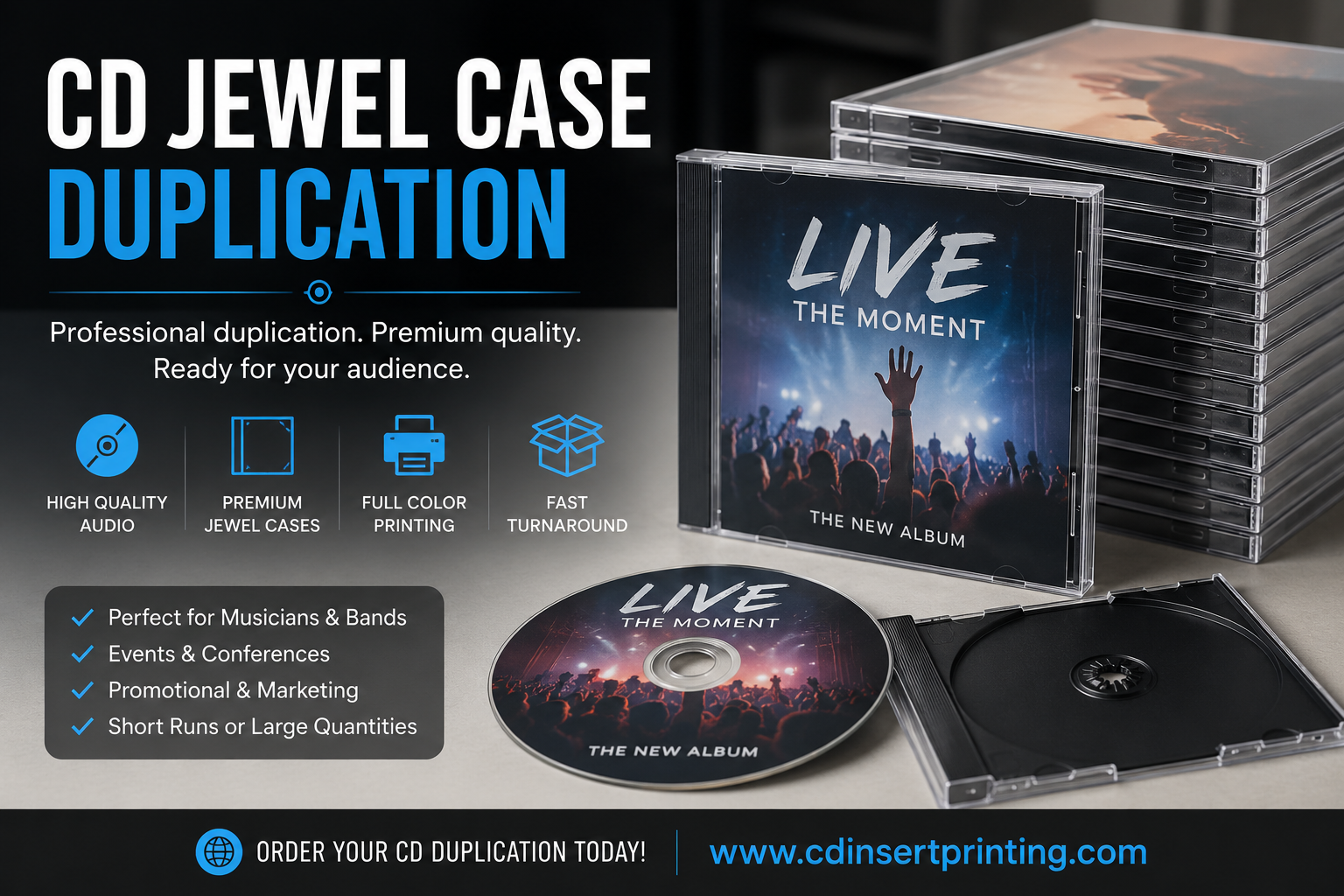
A CD jewel case is the classic hard plastic case widely associated with compact discs. It became the dominant packaging format after its rollout in 1982, following design work led by Philips engineer Peter Doodson, and the standard case measures about 142 mm x 125 mm x 10 mm according to this history of CD jewel cases.

It’s best to think of it as a three-part system, not just a plastic shell. Each part has a job, and when artists understand that, packaging decisions get easier.
The three parts that matter
The case includes these core pieces:
- Front lid: This clear hinged cover displays the front insert or booklet.
- Tray: This removable inner piece holds the disc in place at the center hub.
- Back section: This area sits behind the tray card and forms the rear of the package.
That structure is why jewel cases stayed popular for so long. The packaging protects the disc, gives printed pieces their own dedicated spaces, and creates a shape that stacks neatly in boxes, shelves, and retail racks.
Why the material matters
A jewel case is typically made from injection-molded polystyrene. That gives it a hard, rigid feel. Rigid is good for protection and presentation. It helps the case keep its shape, hold printed inserts flat, and resist the slouching or warping you can get from lighter paper-based options.
The downside is obvious the first time one hits a hard floor. Polystyrene looks sharp, but it isn’t forgiving.
The same rigid structure that makes jewel cases look clean on a shelf is also why broken corners and snapped hinges show up so often in shipping and handling.
Why the hub design is important
The center hub is small, but it does a lot of work. It grabs the disc by the center hole instead of letting the playing surface slide around. That reduces movement inside the package and helps prevent scuffs during storage and transport.
For artists doing short-run projects, this matters more than it sounds. A package that protects the print and the disc at the same time saves labor. You spend less time re-bagging damaged copies, swapping inserts, or explaining cosmetic issues to buyers.
Choosing Your Jewel Case Type and Size
Not every jewel case is the same, leading many first-time orders to go sideways. Artists hear “jewel case” and assume there’s only one version. In practice, you’re usually choosing between the standard format, the slim format, and the multi-disc version often called a double or chubby case.

A standard jewel case has approximate external dimensions of 142 × 125 × 10 mm, and its tray holds the disc by the center hole. That rigid geometry is a big reason jewel cases have remained useful for long-term protection and stackable storage, as described in Wikipedia’s overview of optical disc packaging.
Standard jewel case
This is the workhorse. If you’re releasing a full album, want spine text, or need room for a booklet, this is usually the safest choice.
It gives you the most familiar retail presentation. Fans know how to handle it. Stores and archives know how to shelve it. And if your release includes lyrics, thank-yous, credits, or session notes, the standard format supports that better than slimmer options.
Best fit:
- Albums with liner notes
- Projects sold at shows
- Catalog titles that need spine visibility
Slim jewel case
A slim case cuts down the thickness and changes the feel immediately. It takes up less space and can reduce bulk in storage or mail orders, but it also limits what you can include.
If your project is a promo single, a short EP, a sampler, or an event disc, the slim format can make sense. It still gives you a hard plastic package, but without the same room for interior print materials.
This is often the choice when the goal is simple distribution, not a collector-style package.
Double or chubby jewel case
If the release includes two discs, this is the format designed for that job. It works for double albums, expanded editions, or a music-plus-video package.
The mistake artists make here is choosing a double case for a single disc just because they want “more room.” Usually that just adds bulk and shipping exposure without giving you a better result.
Quick comparison
| Type | Best use | Main advantage | Main trade-off |
|---|---|---|---|
| Standard | Full albums | Booklet-ready, strong shelf presence | More bulk than slim options |
| Slim | Singles, promos, short EPs | Saves space | Less room for printed materials |
| Double | Two-disc sets | Built for multi-disc projects | Bulkier to store and ship |
If you’re ordering a short run and trying to stay disciplined on cost, choose the smallest format that still supports the project properly. Don’t buy a bigger package than the release needs.
Jewel Cases vs Modern Alternatives
Your master is approved, the artwork is close, and now the packaging choice starts affecting the budget more than many first-time artists expect.
For a short run, this decision is rarely about looks alone. It affects unit cost, mailer size, replacement headaches, and how many copies arrive ready to sell instead of needing repacking.

Jewel cases still earn their place because they solve a practical problem well. They protect the disc, hold printed pieces cleanly, and let you replace a broken tray or cracked outer case instead of writing off the whole package. That last point matters more on indie projects than people think, especially if part of your run will sit in storage bins, merch tubs, or padded mailers for months.
Digipaks push the other direction. They usually feel more premium in hand, give you more printed surface, and avoid the brittle-plastic look some artists want to avoid. The trade-off is wear. Corners soften, printed edges scuff, and once a board panel or tray is damaged, fixing it is less straightforward than swapping a jewel case part.
Eco-wallets and simple jackets cut bulk fast. If you are mailing promo copies, handing discs out at shows, or trying to keep postage down on a lightweight release, they can make good financial sense. They also give up the most protection, so the savings can disappear if discs get scratched or the package starts looking tired after a few hand-to-hand transfers.
The key question is total cost, not just package price.
A jewel case may cost more to ship because it is thicker and more breakable in transit. A wallet may cost less to mail, but if the disc slides, the sleeve creases, or the package feels too bare for a paid release, you saved money in the wrong place. A Digipak often lands in the middle. Better presentation than a wallet, less crack risk than a jewel case, but still more vulnerable to shelf wear and corner damage than artists expect from the sample photo.
I usually tell indie bands to match the package to the sales path.
If most copies will be sold at shows, a standard jewel case is often a safe choice because it presents like a full album and protects the disc well in bins and backpacks. If most copies will be mailed one at a time, slimmer paper-based packaging can reduce postage and packing bulk. If the release is meant to feel giftable or collector-focused, a Digipak can justify the extra effort, as long as you accept that worn corners are part of the trade-off.
Shop-floor advice: Choose the package you can afford to ship, store, and replace, not just the one that photographs best.
A simple way to decide:
- Choose jewel cases if protection, booklet support, and replaceable parts matter most.
- Choose Digipaks if presentation and expanded printed panels matter more than easy repairs.
- Choose eco-wallets or jackets if low weight, low bulk, and simple distribution are the priority.
This product walkthrough can help if you want to see one format in action before deciding.
One cost-saving approach for short runs is to split formats by purpose. Use jewel cases for copies you plan to sell, and use sleeves or wallets for promo handouts, media kits, or rough-tour outreach. That keeps the retail version strong without overpacking every disc you make.
Designing Artwork That Fits Perfectly
A rushed file setup can turn a strong release into a package that looks homemade for the wrong reasons. I see this on first CD projects all the time. The artwork itself is often fine. The trouble starts with trim, folds, spines, and tiny type that looked readable on a laptop but falls apart in print.
For a standard jewel case, the two pieces that cause the most trouble are the front insert and the tray card. The front insert is commonly set up at about 4.75 × 4.75 inches, and the tray card is commonly set up at about 5.4 × 4.625 × 0.25 inches, with trim and bleed affecting the final fit, according to Disc Makers’ guide to CD album cover size.

Jewel cases are less forgiving than many artists expect. A small alignment error on the back panel can throw off both spines. Text that sits too close to the edge can get clipped or look cramped after trimming. On a short run, that matters because reprints eat budget fast, and fixing one bad panel still means opening cases, swapping inserts, and spending time you probably wanted to use on release prep.
The print details that save you rework
Set up the files for print first, then worry about mockups.
Use this checklist before exporting:
- Build with bleed: Extend background art past the trim edge so slight cutting shifts do not leave white slivers.
- Protect a safe zone: Keep titles, credits, logos, and legal text away from edges, folds, and the spine pinch.
- Check spine orientation: Make sure the title reads the right way when the case is shelved with other CDs.
- Proof tiny text at size: Copyright lines, producer credits, and thank-yous are where readability problems usually show up.
- Watch contrast on the tray card: Dark text over busy art may look fine on screen and print muddy behind clear plastic.
One practical habit saves a lot of headaches. Print a paper proof at full size, cut it out, and place it in an actual jewel case. That quick test catches bad folds, crowded margins, and weak track-list readability before money gets spent.
Booklet thinking vs cover thinking
A jewel case project works best when the whole package is planned together. The front cover gets attention, but the back panel closes the sale. If someone has to squint to read song titles at a merch table, the design is not doing its job.
Booklets need the same discipline. If you want lyrics, credits, photos, and thank-yous, map the pages before finishing the cover art. Otherwise, artists end up forcing too much copy into too little space, which creates a booklet that feels packed and a back tray that feels like an afterthought.
Production note: A clear back panel with readable tracks usually does more for a release than an elaborate design with tiny type.
Keep your files organized by piece and panel name. Label the front insert, tray card outside, tray card spine, booklet pages, and anything else separately. That sounds basic, but it reduces setup mistakes, speeds approvals, and makes replacement printing easier if one component needs to be rerun later.
Common artwork mistakes
| Mistake | What happens |
|---|---|
| Text too close to trim | Names or credits get cut or look cramped |
| No bleed | White slivers can appear at the edge |
| Weak contrast on back panel | Track list becomes hard to read |
| Ignoring folds and spines | Layout shifts once inserted into the case |
The goal is simple. Design for how the piece will print, fold, and sit inside the case. That approach protects your budget as much as your artwork.
Packaging and Shipping Tips for Small Projects
You finish your CDs, open the first carton, and two corners are already cracked. That happens more often on short runs than artists expect, and it changes the actual cost of jewel cases fast. The case itself may be affordable, but breakage, repacking time, and replacement parts can eat into a small budget in a hurry.
Jewel cases do have a practical upside. If the disc and printed pieces are still fine, you can often swap the broken plastic part instead of redoing the whole package. That makes them easier to salvage than some all-in-one formats. But they still need better packing discipline, especially if you plan to mail single copies to fans or carry inventory to shows.
What actually causes damage
Damage usually comes from three things. Movement inside the box, pressure from bad stacking, and weak outer packaging.
A single jewel case in a soft mailer can take a corner hit or flex enough to crack the lid. In a bulk carton, extra space lets cases bang into each other during transit. Overpacked boxes create a different problem. Too much weight pressing down on the bottom row can crack corners and trays even if nothing looks crushed from the outside.
The disc usually makes it. The plastic is the weak point.
Packing methods that hold up better
For single-copy orders, use a rigid CD mailer or a corrugated mailer made for media. A bubble mailer by itself is a gamble. It may work for a local shipment, but it does not give a jewel case much protection against a drop or a hard sort line.
For cartons going to a gig, store, or fulfillment point, keep the load tight and even:
- Use a box that fits the quantity. Empty space leads to impact damage.
- Pad the perimeter. Corner and edge protection matters more than tossing filler on top.
- Stack flat and evenly. Uneven piles put too much force on the cases at the bottom.
- Keep cartons dry and upright in storage. Moisture weakens boxes, and bad stacking causes tray and hinge cracks over time.
Small projects get hit hardest by preventable damage because there is less margin for waste. If five cases break out of a short run, that loss is noticeable. On a merch table, it can mean fewer clean copies to sell that night.
Build replacement costs into the plan
This is one of the trade-offs I always tell indie artists to price in early. If you choose jewel cases, order a few extra empty cases, trays, or both from the start. Replacement plastic is cheap compared with paying rush shipping later or pulling damaged copies out of inventory one by one.
This matters even more if your tray card or booklet is custom printed and not easy to rerun in tiny quantities. A cracked case is a nuisance. A damaged printed insert is a bigger expense.
At Atlanta Disc, we often see the smoothest small projects come from artists who treat replacement parts as part of the packaging budget, not as an afterthought. A handful of spare components can save a release day.
Test before you commit
Before mailing a full batch, pack two or three copies exactly the way you plan to ship them. Send one across town, leave one in your car overnight, and carry one around with your merch gear for a day. Then inspect the corners, hinges, and trays.
That quick test tells you more than a guess ever will. It also helps you decide whether the classic look of a jewel case is worth the added shipping care for your project.
Your CD Ordering Checklist and Final Questions
By the time you’re ready to order, most of the important decisions should already be settled. That’s what keeps projects on schedule and keeps surprise costs out of the invoice.
Final checklist
- Confirm your master: Make sure the audio you’re sending is the final approved version.
- Proof all print files: Double-check spelling, credits, track order, and barcode or catalog details if you use them.
- Match package to purpose: Standard jewel case for booklet-heavy albums, slim for simple releases, double only for multi-disc projects.
- Plan for shipping: Decide how copies will move before you decide how they’ll be packed.
- Order a few extras: Having backup inventory helps when a case gets damaged at a show or in transit.
Common last-minute questions
Can I replace only part of a jewel case?
Yes. That’s one of the practical strengths of this format. Trays and other components are commonly sold separately, which can make repair easier than replacing the full package.
Are jewel cases still a valid choice for indie releases?
Yes. They’re still relevant because they offer a familiar retail look, support inserts and booklets well, and can be practical for short runs when you account for handling and replacement.
Should I avoid jewel cases if I’m shipping to fans?
Not necessarily. You just need better packing discipline than you would with a flexible wallet or sleeve.
When should I choose something else?
If your priority is the lowest-profile mailer, reduced plastic use, or a more art-driven foldout presentation, another package may fit better.
If you’re weighing packaging for a short-run release and want a straightforward quote on CDs in jewel cases, inserts, tray cards, or alternate package formats, Atlanta Disc is a practical place to start. They handle short-run duplication and print packaging for indie projects, which makes it easier to compare the format that fits your release instead of forcing one package onto every job.
About the Author: CDinser
